> For the complete documentation index, see [llms.txt](https://help.quickappflow.com/llms.txt). Markdown versions of documentation pages are available by appending `.md` to page URLs; this page is available as [Markdown](https://help.quickappflow.com/product-guides/recruitment-and-ats/job-tracker/recruiter-can-perform-different-action/send-hw-test-for-review.md).
# Send HW test for review
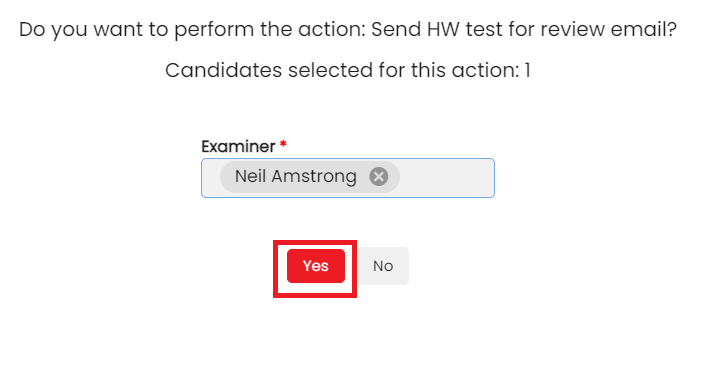
Recruiter can performs the **'Send HW test for review'** action for single or multiple candidates, a popup is appear.
After the recruiter selects the **examiner,** they click '**yes**,' and the request is **assigned to the examiner.** The system sends an email notification to the examiner with login URL and credentials, and an action-performed email notification is sent to the recruiter.
The status will change to ‘**HW test—in review**’ in the tracker and a activity is added as a ‘**Send HW test for expert review’.**

The examiner verifies the test paper and provides feedback. The system changes the status to '**HW report submitted**' in the tracker, adds an activity as '**HW report submitted by examiner**,' and sends an email notification to the recruiter.
Recruiter can see the HW test feedback from view history, click on action (3 dots) and click on view history.

Go to ‘**HW Test Details’** grid.