> For the complete documentation index, see [llms.txt](https://help.quickappflow.com/llms.txt). Markdown versions of documentation pages are available by appending `.md` to page URLs; this page is available as [Markdown](https://help.quickappflow.com/product-guides/recruitment-and-ats/job-tracker/recruiter-can-perform-different-action/duplicate-out.md).
# Duplicate Out
“Duplicate out" refers to the recruiter's action of permanently removing a candidate from consideration for a particular job post in the tracking system.
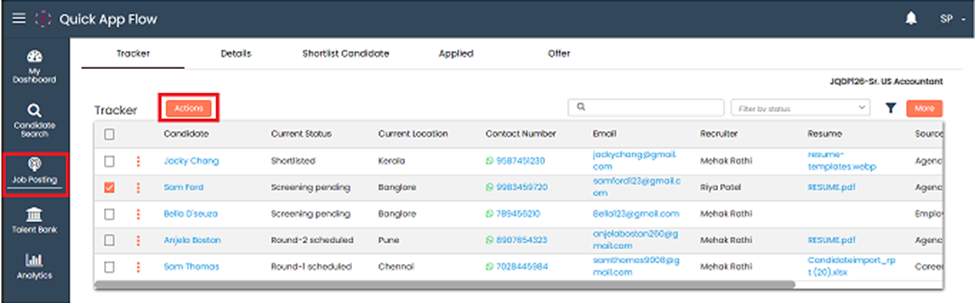
Go to the job posting and click on the **'Action**' in the tracker.
The recruiter can duplicate out only one candidate at a time from a particular job post.
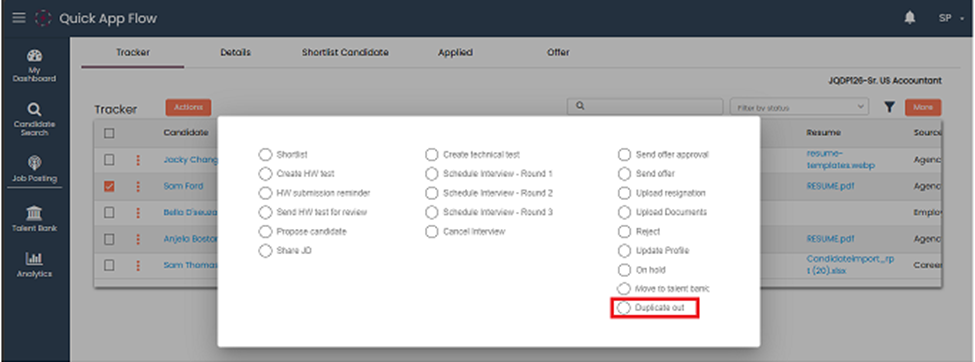
When the recruiter clicks on the Actions, a popup appears.
The recruiter selects the candidate and click on Duplicate out.
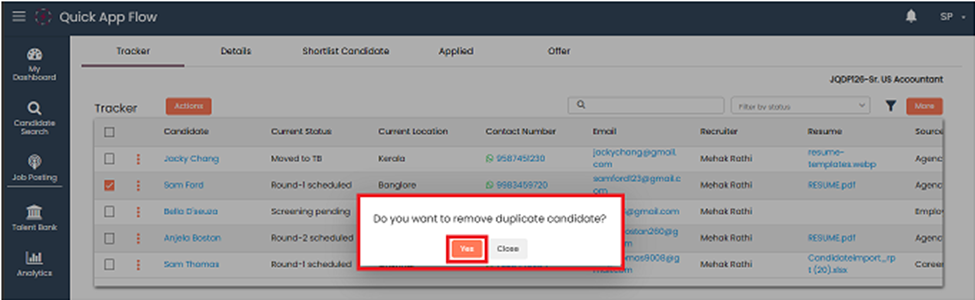
After clicking on Duplicate out, a popup appears and click on yes.
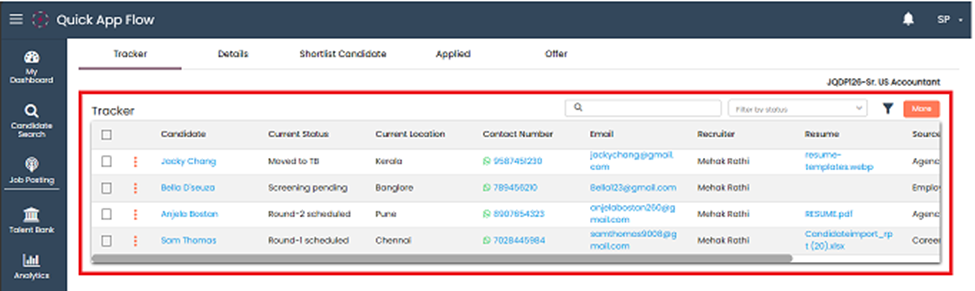
After clicking **yes**, candidate will be **deleted** from the tracker.